
Virtual PDF Printer
3.0 Build 2726
Size: 1.38 MB
Downloads: 6902
Platform: Win95,Win98,WinME,WinNT 4.x,WinXP,Windows2000

Nowadays, the PDF file format is widely used for storing and distributing documents. That's because it's small in size, it'e extremely versatile, it can be viewed using numerous programs, a lot of mobile devices support it and best of all, it cannot be modified by unauthorized people. Thus, the problem is not viewing a PDF document, but actually creating it. The most popular software for creating PDF files is Adobe Acrobat, but despite its huge popularity, this program has a lot of downsides. First of all, it's difficult to use and it has a lot of complex options that need some time to learn and to master. Second, it takes up a lot of hard disk space and requires powerful computers, Third, it's quite expensive. A much better idea would be using Virtual PDF Printer. As its name clearly states, this program adds a virtual printer into the operating system, allowing the user to create PDF files from virtually any application that supports printing. Thus, using a text editor is all that's required for creating a quality PDF document.
Virtual PDF Printer installs in matter of seconds and doesn't require much intervention from the user, as the entire process is straightforward. The program supports almost any version of the Microsoft Windows operating system, from XP to Windows 7. It takes up less hard disk space than Adobe Acrobat or other similar programs and requires low system resources.
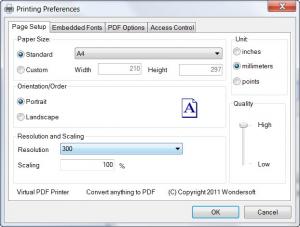
The interface of Virtual PDF Printer is basically used for installing or removing the virtual printer and for printing a test page, for making sure that everything is working properly. All the options for creating PDF files can be accessed and changed during the printing process, within the software that creates the PDF. Thus, the user can change the layout of the page, the printing quality and can add some information that will be included in the PDF file. Saving a PDF is a really quick process, even if we are talking about large documents with numerous files.
Pros
It allows the creation of PDF files from virtually any program that supports printing. Besides that, it's very easy to use and all the settings regarding the PDF creation process are extremely intuitive. Moreover, PDF files are created very quick, even if the source document contains a lot of pages.

Cons
The user cannot preview how the actual PDF document will look like. Besides that, the number of options is limited. Virtual PDF Printer is a great software that can help anyone create PDF files from any application.

Virtual PDF Printer
3.0 Build 2726
Download
Virtual PDF Printer Awards

Virtual PDF Printer Editor’s Review Rating
Virtual PDF Printer has been reviewed by Jerome Johnston on 01 Feb 2012. Based on the user interface, features and complexity, Findmysoft has rated Virtual PDF Printer 4 out of 5 stars, naming it Excellent







